 12 CHALLENGES
Habit tracker
for Apple Watch.
12 Challenges is a habit tracker for iPhone and Apple Watch. Set yourself a monthly goal on your iPhone, then check off each day on your watch when you have completed it. Reading, exercise or meditation: your phone can stay in your pocket.

Plan on your iPhone. Check off on your Apple Watch.
Apple Watch app: features at a glance
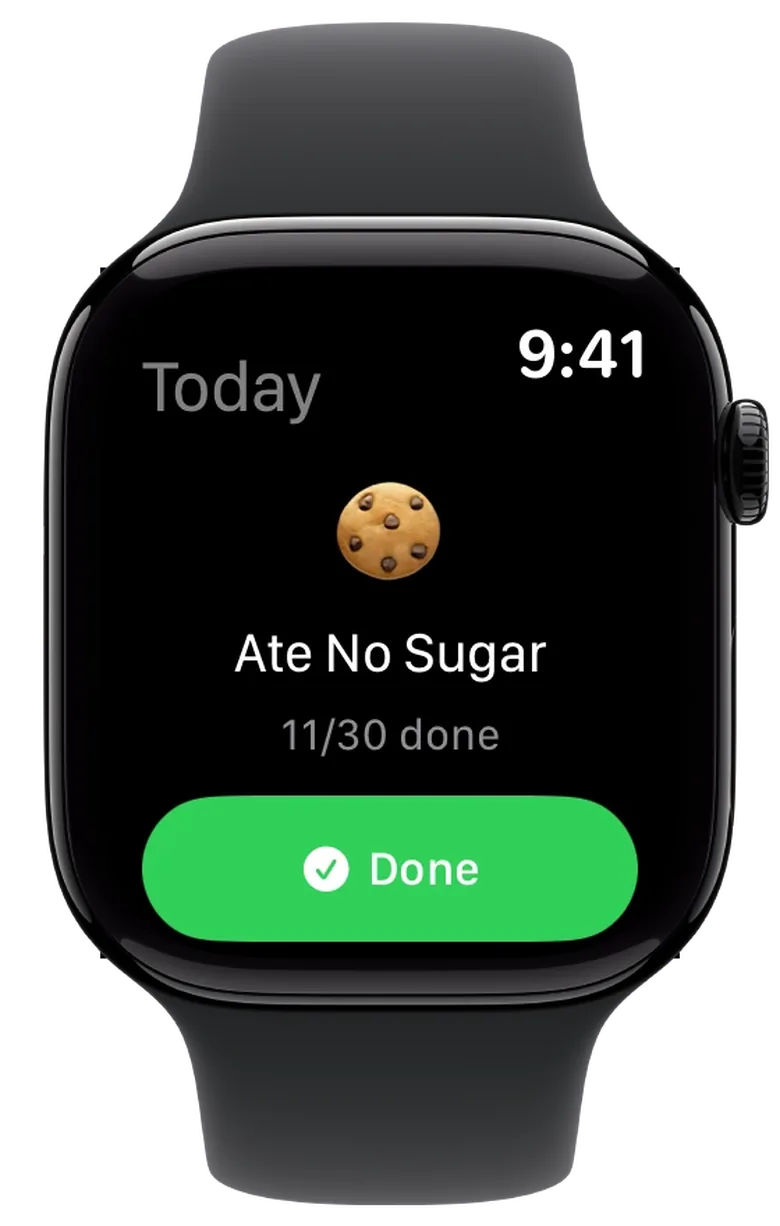
The Watch app shows your active challenges and how many days you have completed. You can see what is still left to do today. These screens show how checking off a goal works.
What checking off looks like on your watch
Your daily check-off
With one challenge, you get a dedicated view with a large check-off button. One tap is enough. You can also see how many days you have already completed.
Keep several goals in view
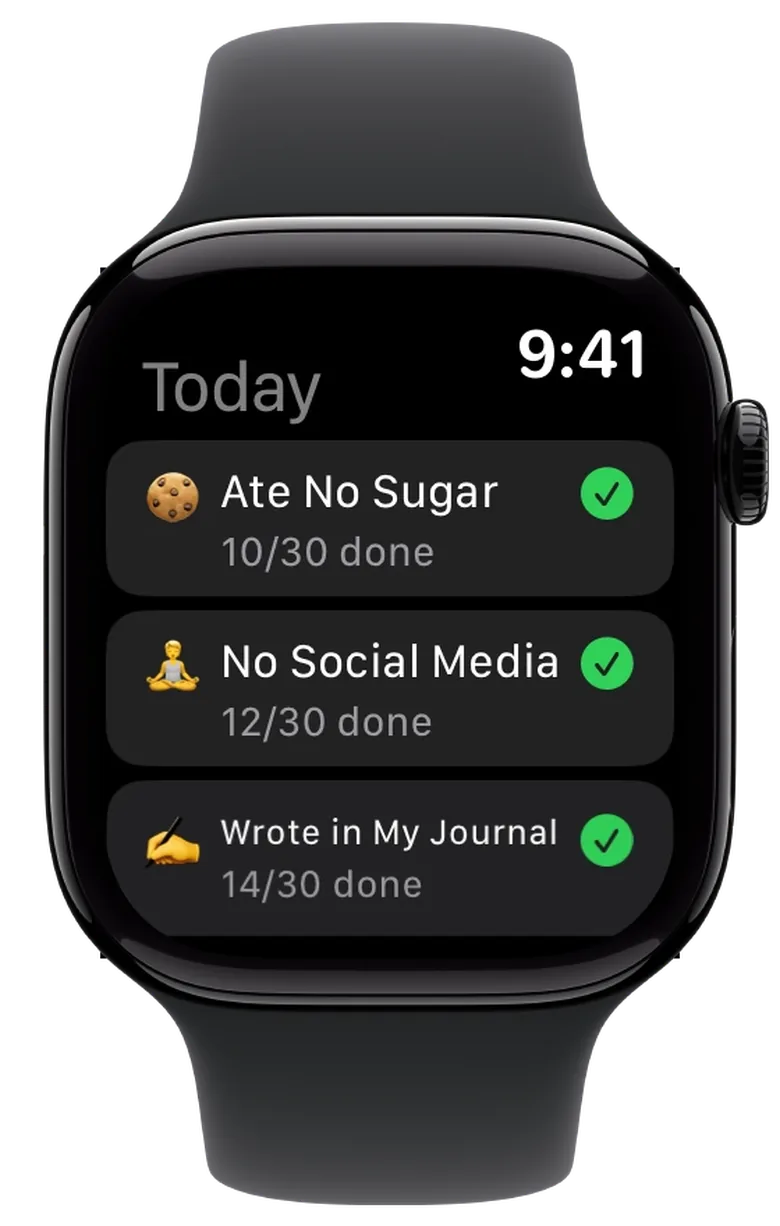
When you have several active challenges, they appear in a list. Each goal shows its progress and whether you have checked it off today.
Done for today
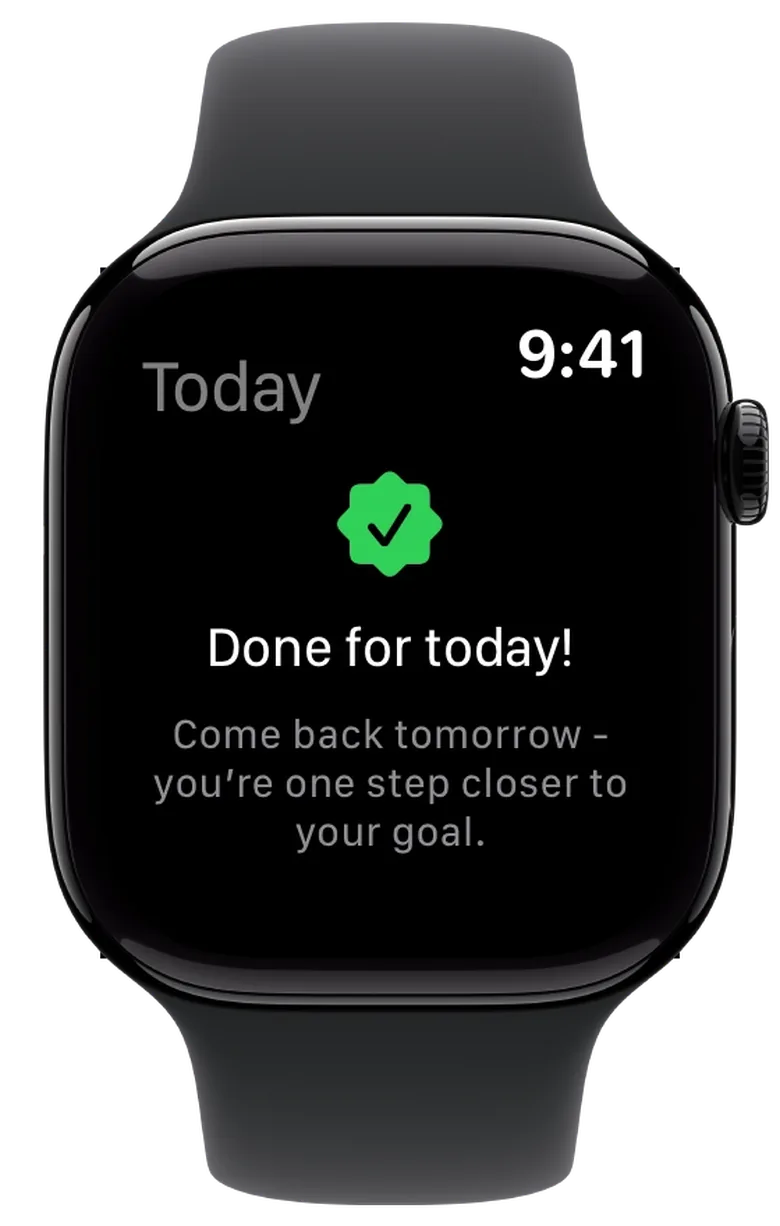
Once every goal is checked off for today, this confirmation appears. If you tapped by mistake, you can undo the check-off on your watch.
Check off habits on your Apple Watch
A habit tracker on Apple Watch lets you check off a habit as soon as you have completed it. There is no need to remember to add it on your phone later. This is especially useful for things your watch cannot measure automatically.
After a walk
You have just returned from a walk. Check off your goal on your watch before moving on to the next thing.
After reading
You have finished today's reading. A quick tap on your watch records it, while your phone stays where it is.
After a quiet moment
You have meditated or taken a deliberate break. Check off your goal on your watch without reaching straight for your phone.
Apple Watch complications
Complications are small displays on your Apple Watch face. With 12 Challenges, they show your progress or current streak without opening the app. These examples cover one challenge, several daily goals and consecutive completed days.
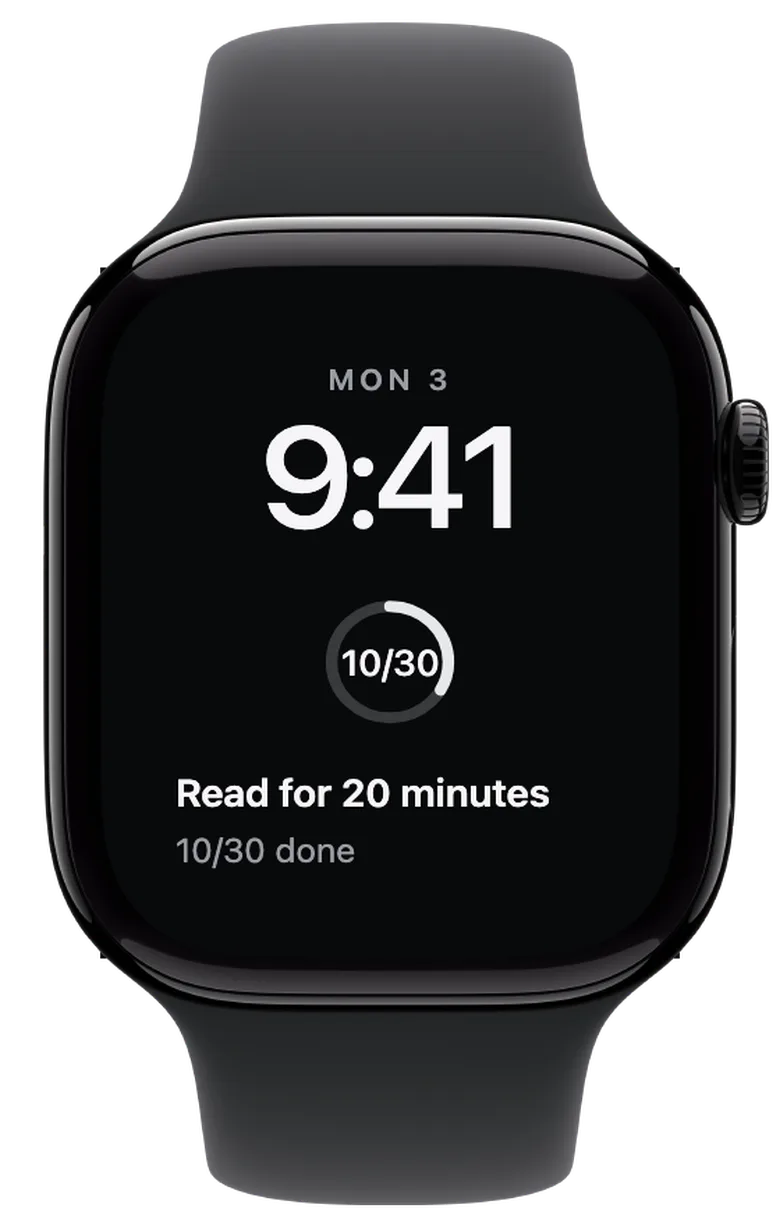
One goal, not checked off today
You have completed ten of 30 days. The ring shows your challenge's overall progress. Today's goal is still open.
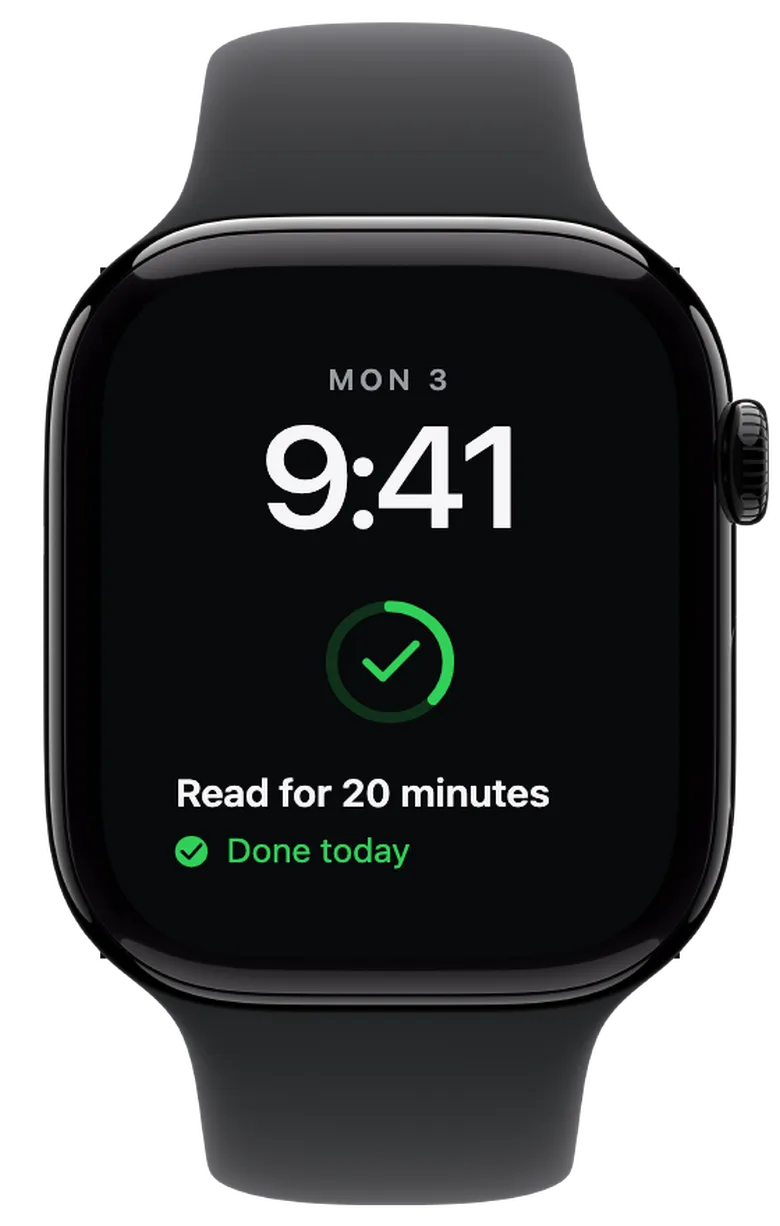
Today's check-off
Checking off today turns the ring green and adds a checkmark. The fill still shows your overall progress: now eleven of 30 days.
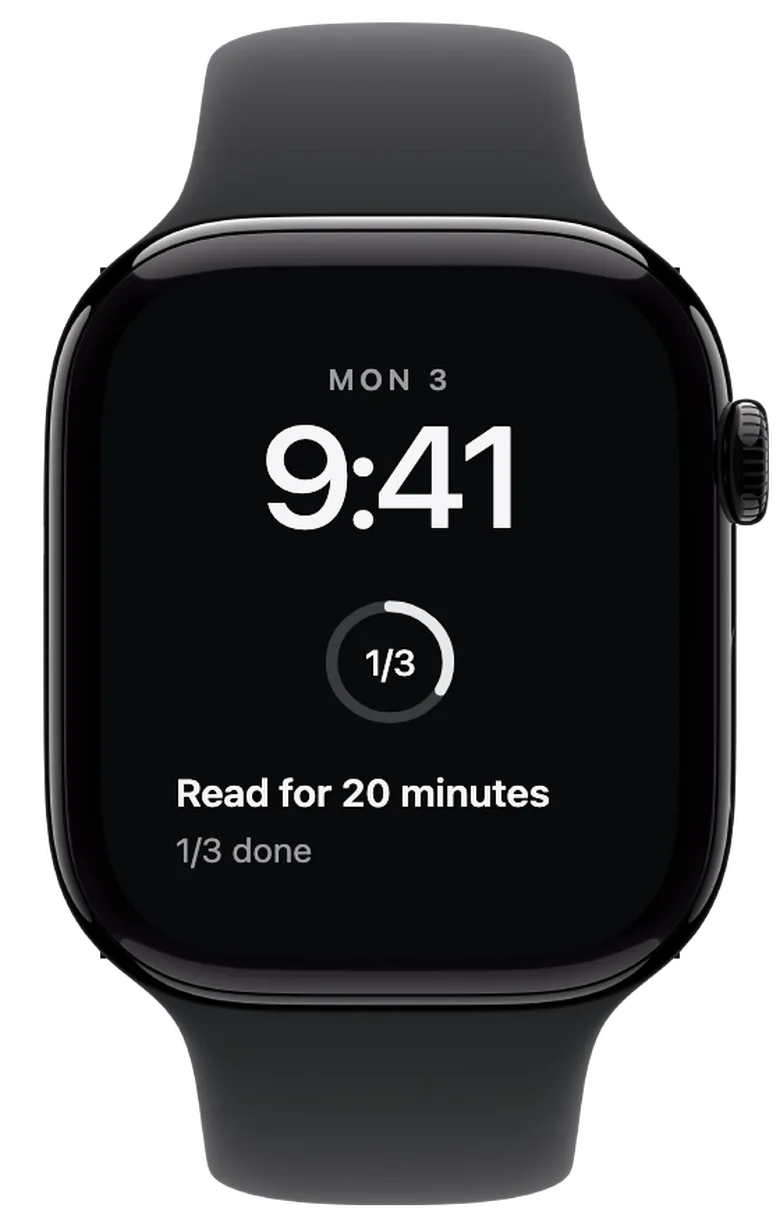
One done, two left to go
With several active challenges, the ring shows today's progress. Here, one of three goals is checked off.
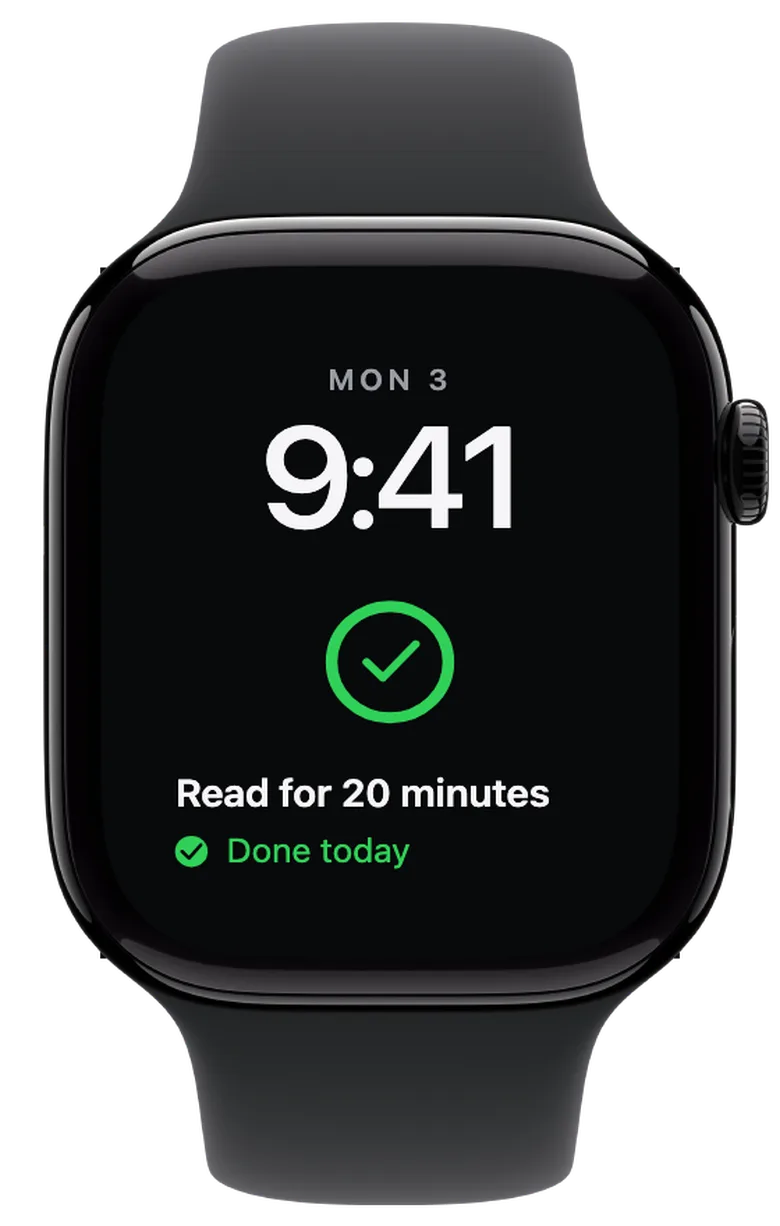
Done for today
When all three goals are checked off, the ring is fully green. The checkmark and “Done today” message show that you have finished for today.
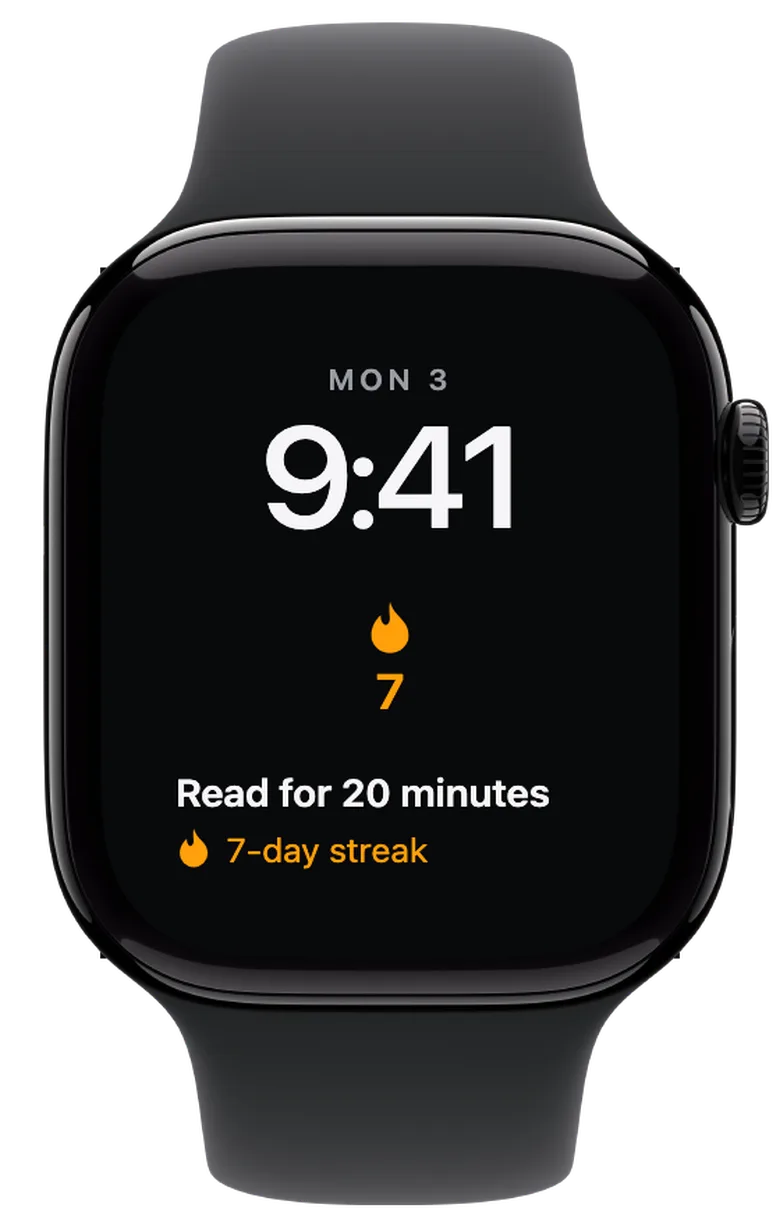
Keep your streak in view
The flame and the number 7 stand for seven completed days in a row. The rectangular view also shows which challenge the streak belongs to.
These watch faces are recreated previews with sample values. Each watch shows a circular and a rectangular complication. Corner complications are supported too. Available slots and colours depend on your watch face.
iPhone and Apple Watch: keep your habits in sync
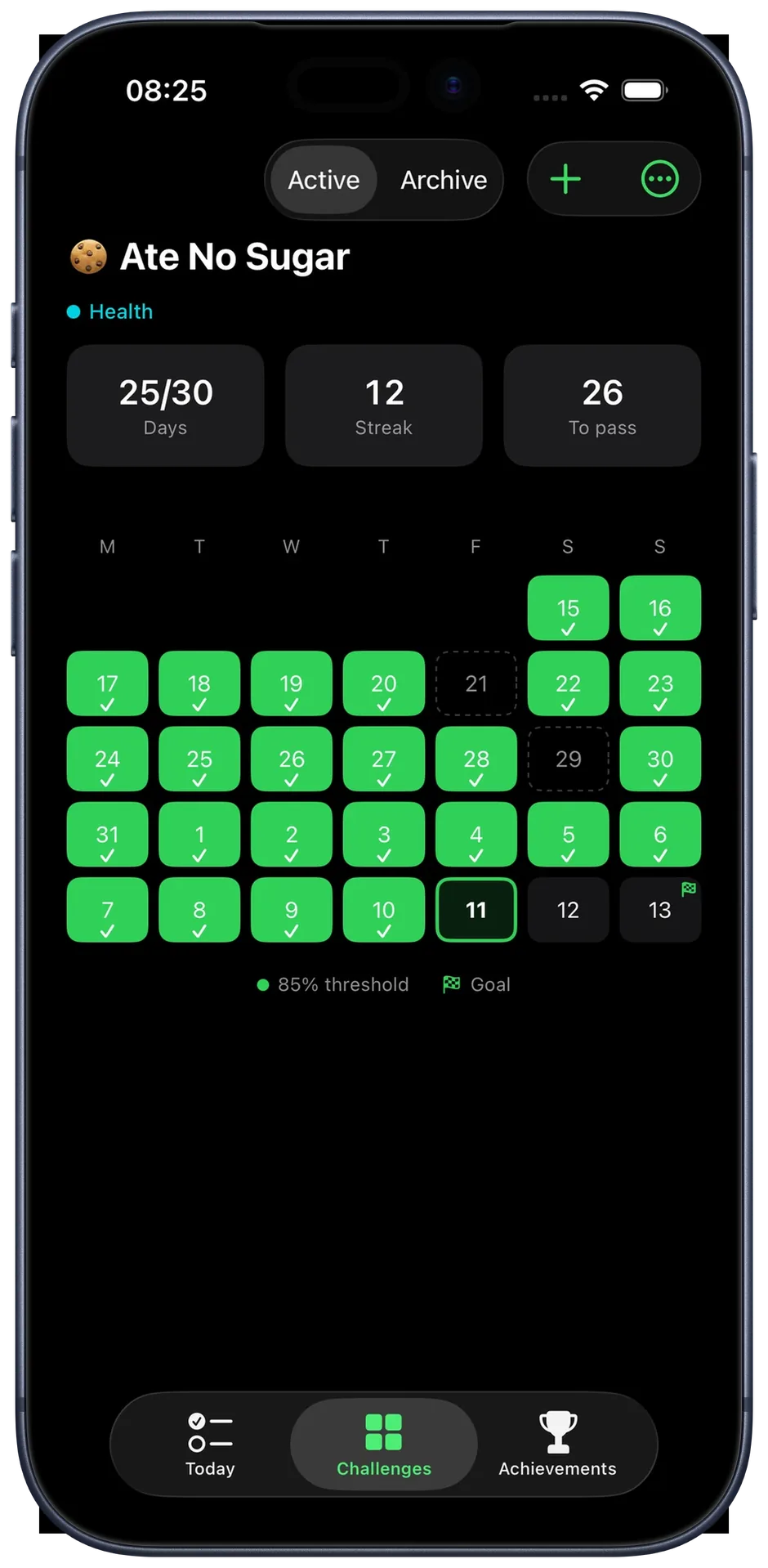
Create and edit your challenges on your iPhone. On Apple Watch, check off what you have completed today. Entries sync between your watch and paired iPhone, so you do not have to enter them twice.
Your calendar, statistics and completed challenges are on your iPhone. The Watch app focuses on your active goals and daily check-offs.
Explore the iPhone app →What will you work towards next month? Download 12 Challenges on your iPhone and check off your habits directly on Apple Watch.
Compare features on iPhone and Apple Watch
| Feature | iPhone | Apple Watch |
|---|---|---|
| Create and edit challenges | Yes | On your iPhone |
| Check off completed days | Yes | Yes, on your watch |
| Challenge progress | Calendar and completed days | Completed days, e.g. 11/30 |
| Today's goals | Challenge overview | Single-goal view or list |
| Current streak | In the challenge view | As a watch face complication |
| Watch face complications | Only on Apple Watch | Progress or streak |
| Sync entries | With your paired Watch | With your paired iPhone |
Set up the Apple Watch app and complications
Start on your iPhone
Download 12 Challenges on your iPhone and create your first monthly challenge. Choose a template or set your own goal.
Open the Watch app
If the companion app was not installed automatically, open the Watch app on your iPhone. Go to “My Watch”, find 12 Challenges under “Available Apps” and tap “Install”. Then open 12 Challenges on both devices while they are connected to transfer your goals.
Add a complication to your watch face
Touch and hold the watch face, then tap “Edit”. Swipe to complications, choose a supported slot and use the Digital Crown to find 12 Challenges. Select its progress display or “Streak”, then press the Digital Crown to save. Available slots depend on the watch face.
Apple Watch habit tracker FAQs
How does a habit tracker on Apple Watch work?
Choose a habit and check it off on your watch when you have met your daily goal. In 12 Challenges, you create a monthly challenge on your iPhone. Your Watch shows what is left today and how many days you have completed.
Do I need an iPhone for 12 Challenges on Apple Watch?
Yes. You need a paired iPhone with 12 Challenges installed. Create and edit challenges there; use the Watch app to view active goals and check off completed days.
Can I check off a goal when my iPhone is out of reach?
Yes, if your challenges have already been transferred to the watch. You can check them off there, and entries sync when communication with your iPhone is available again. The devices need a connection for the initial setup.
Can I track several habits at once on Apple Watch?
Yes. Active challenges appear in a list with their progress and today's check-off status. Once every goal is completed, the app shows “Done for today!”.
Which watch face complications are available?
You can display progress or your current streak. With one challenge, the progress ring shows its completed days. With several challenges, it shows how many goals you have checked off today. Both complications support circular, rectangular and corner slots on compatible watch faces.
Are habits recorded automatically through Apple Health?
No. You check off your goal yourself. This also works for habits your watch cannot measure, such as reading, journaling or spending less time on social media.
How is this different from Apple Watch Activity rings?
Activity rings show your daily physical activity. With 12 Challenges, you choose your own habits, such as reading, meditation or avoiding sugar, and confirm completion yourself. The app does not automatically import health or workout data.